- search block library
- 4 min read
- By George Burchell
- View publications on PubMed
- ORCID
Search Block Library: find and adapt curated PubMed blocks
The Search Block Library is a collection of BMI-sourced PubMed search blocks you can inspect and reuse for individual concepts. Search by a topic, read a block's description, and copy its PubMed text into your strategy. Search Builder also checks this library when making blocks and identifies reused sources in its output. A reusable block is a starting point: check its scope, terms, and fit with your question before running the combined search.
A block covers a concept, not your whole review
A search block groups alternative terms for a concept. A review strategy combines the concepts needed to retrieve relevant records. Reusing a population block can save you drafting time, but it does not decide which intervention terms, limits, or other concepts belong in your review.
Read the block's description before its query. A broad disease block may retrieve more than your specific population, while a narrow block may omit terminology you need. Check the subject headings, free-text synonyms, and any restrictions already inside the block.
Find, inspect, and copy
Open the library from its public page and sign in to use the dashboard.
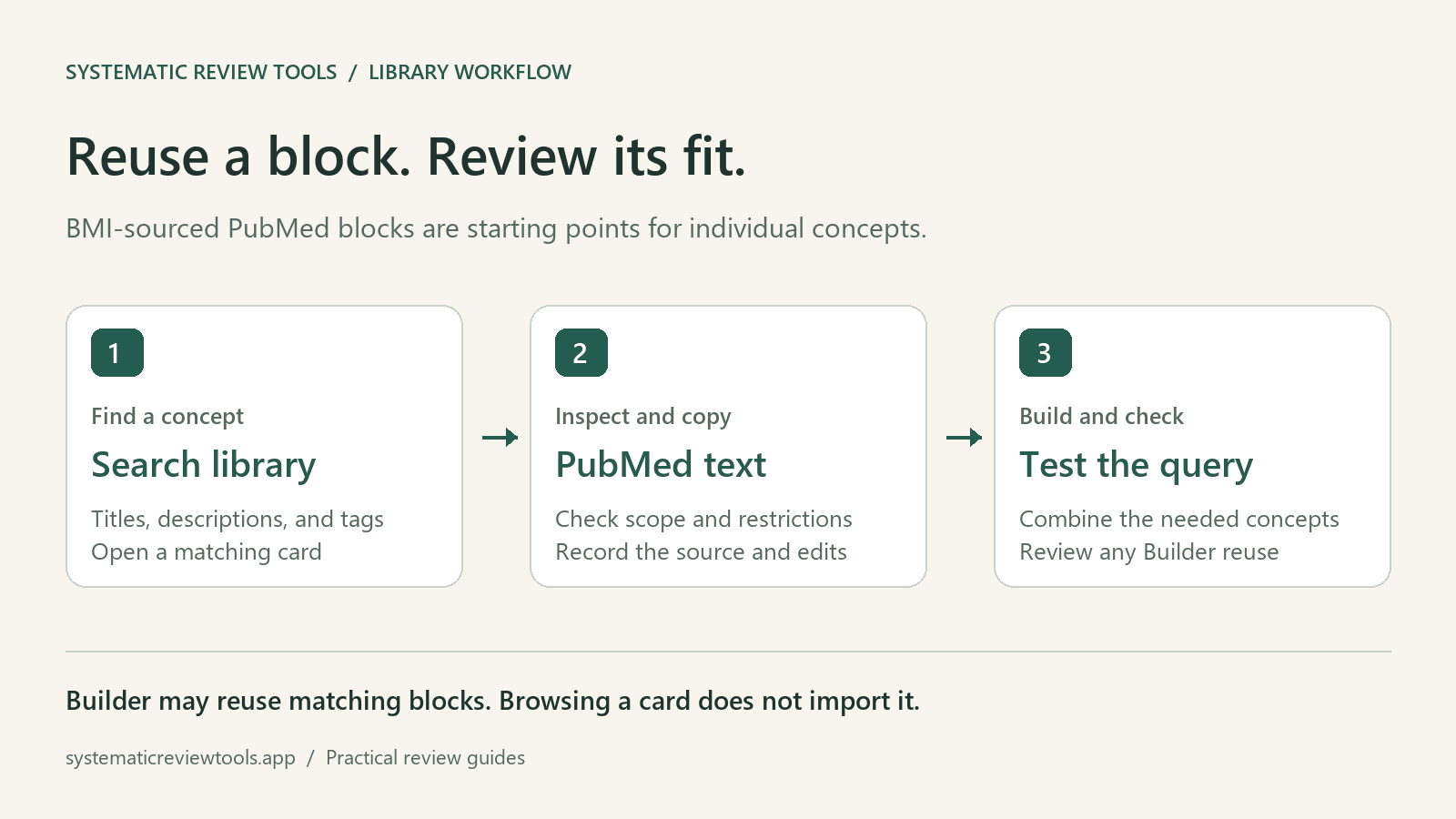
- Enter a topic in Search blocks.... The search matches titles, descriptions, and tags.
- Open a matching card and read its description and tags.
- Select PubMed to inspect the original search text. If the text is unavailable, choose another block rather than copying the placeholder.
- Use Copy to clipboard and keep the block's title and source with your review search notes.
- Review and adapt the copied text, combine it with the other concepts, and test the complete query in PubMed.
Keep alternatives within a concept joined by OR and group each concept with parentheses before combining concepts with AND. Preserve the exact strategy you actually ran, including any edits, filters, and the search date.
Worked path: a population block and Search Builder
Consider a review of continuous glucose monitoring in adults with type 2 diabetes. Search the library for a population term such as diabetes. If a suitable card is available, inspect whether it covers type 2 diabetes specifically or diabetes more broadly. This example describes a selection process; it does not assume a particular card or invent the catalog's search terms.
Next, open Search Builder, enter the review question, choose the search concepts, and select Make Search Blocks. The Builder checks the app library for matching blocks before live BMI lookup. When it reuses an external block, its Reused external blocks section shows the title, source link, and whether the source was Library or BMI Online.
Check that selected block against your question. A title match is not enough: inspect the terms and whether the scope is appropriate. Review the Canonical PubMed query, then copy or download the strategy before running it.
Browsing a library card does not insert that specific card into the Builder. If the Builder does not select the block you intended, you can still use the copied PubMed block in a strategy you assemble separately. Keep the provenance and your edits in the search log either way.
This guide focuses on reusing an existing concept block. The Builder's question-to-concepts step is a separate task; the Quick Start Guide gives the broader workflow.
What the library count and update date mean
The library displays the number of blocks matching your current search and, when available, a Library updated timestamp. Clear the search to see the unfiltered count. Use the live display rather than quoting a fixed library size in your protocol.
SRT maintains its app catalog from BMI Online's search-block catalog. A weekly sync fetches details for new or changed records and updates the app's stored copies. The update timestamp reflects the catalog sync; it does not mean every block has been newly validated for your topic or that every source record changed that day.
Check database translations separately
The block viewer also offers Embase, Web of Science, and Scopus tabs. These adapt the PubMed syntax, but a syntax rewrite does not establish that a subject heading is valid in the target database's thesaurus. The viewer explicitly asks you to check those terms independently.
For a deliberate database-to-database translation and checking process, use Search Translator and the PubMed block translation guide. Keep the source block, translated strategy, and your corrections together. For the limits of browser drafts and the exports to retain, see Saving your SRT work.

About the Author
Connect on LinkedInGeorge Burchell
George Burchell is a specialist in systematic literature reviews and scientific evidence synthesis with significant expertise in integrating advanced AI technologies and automation tools into the research process. With over four years of consulting and practical experience, he has developed and led multiple projects focused on accelerating and refining the workflow for systematic reviews within medical and scientific research.