About this tool
Quality Assessment
Apply RoB 2 or another checklist to uploaded studies and export an Excel summary of judgments. Reviewers remain accountable for each domain.
Watch the tool
Video demo coming soon
A walkthrough of this tool will appear here after it is uploaded to YouTube.
How this page differs from generic “AI PDF” tools
Risk-of-bias work is protocol-driven: the instrument version, eligible outcomes, and adjudication rules should be locked before anyone opens a full text. This tool is meant to accelerate drafting and consistency checks—not to replace two independent human appraisers on publication-grade reviews.
- Pair uploads with the methodology article on quality assessment and tool choice.
- Run deduplication and screening first so appraisal time is not wasted on records you will never include.
- When judgments need to become supplementary evidence tables, many teams export structured rows into Evidence Table Builder for column-locked templates and QC passes that match funders and journals.
Read the amber Accountability, AI limits, and methodology panel above before relying on any automated domain text in a protocol or manuscript.
What the tool looks like
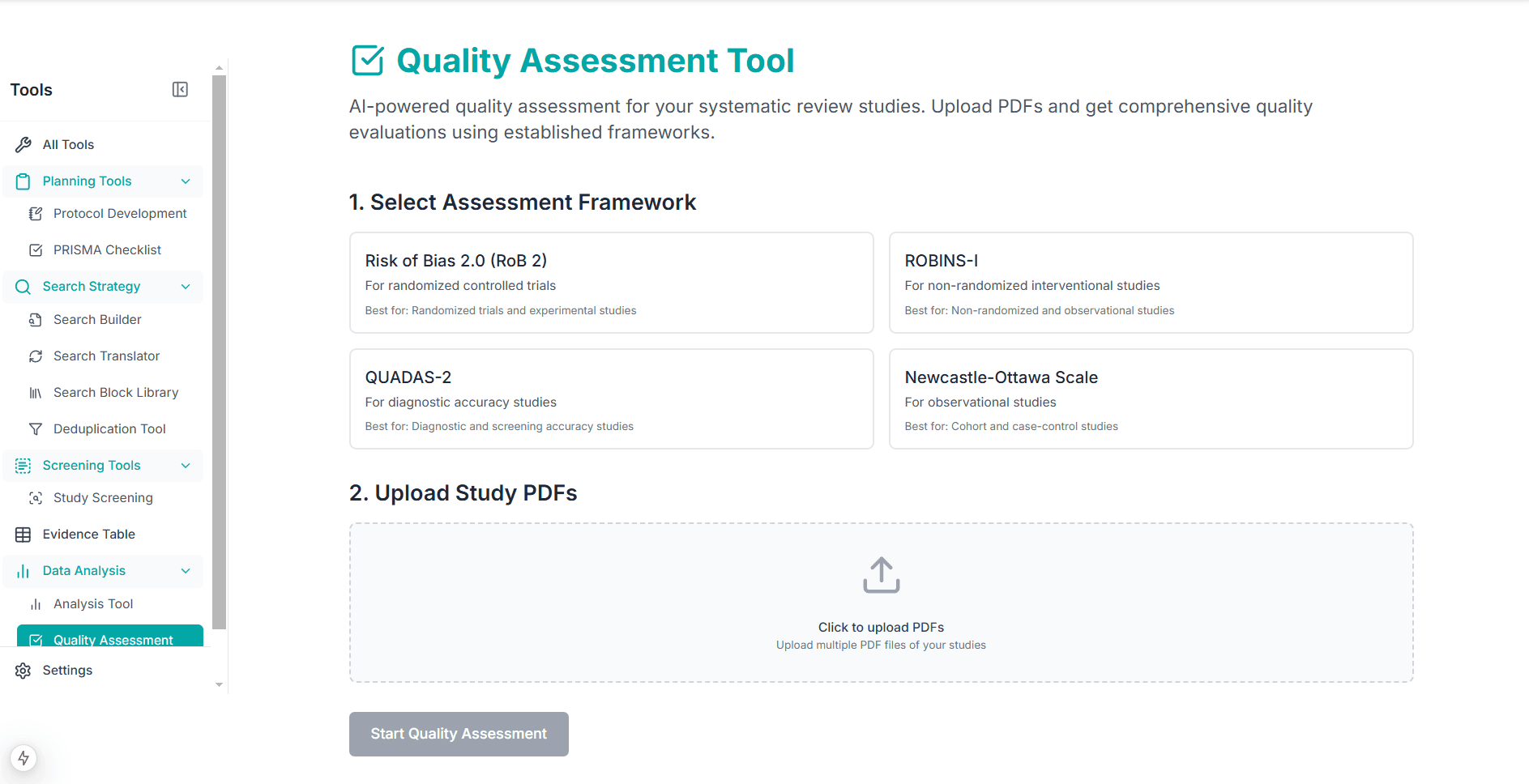
Assessment process
- 01
Select Tool
Choose the appropriate quality assessment framework
- 02
Upload Studies
Upload PDF files of studies to be evaluated
- 03
AI Analysis
Automated quality assessment using AI
- 04
Get Results
Download comprehensive quality assessment report
Available Assessment Tools
Risk of Bias 2.0 (RoB 2)
For randomized controlled trials, evaluating bias across multiple domains
ROBINS-I
Risk of bias assessment for non-randomized intervention studies
QUADAS-2
Quality assessment tool for diagnostic accuracy studies
Newcastle-Ottawa Scale
For assessing quality of observational studies in meta-analyses
Open quality assessment
Apply RoB 2, ROBINS-I, QUADAS-2, or NOS-style checklists and export judgments to Excel.
The working tool is in the dashboard, not on this page.
Sign in, then open the dashboard