- literature review software
- 4 min read
- By George Burchell
- View publications on PubMed
- ORCID
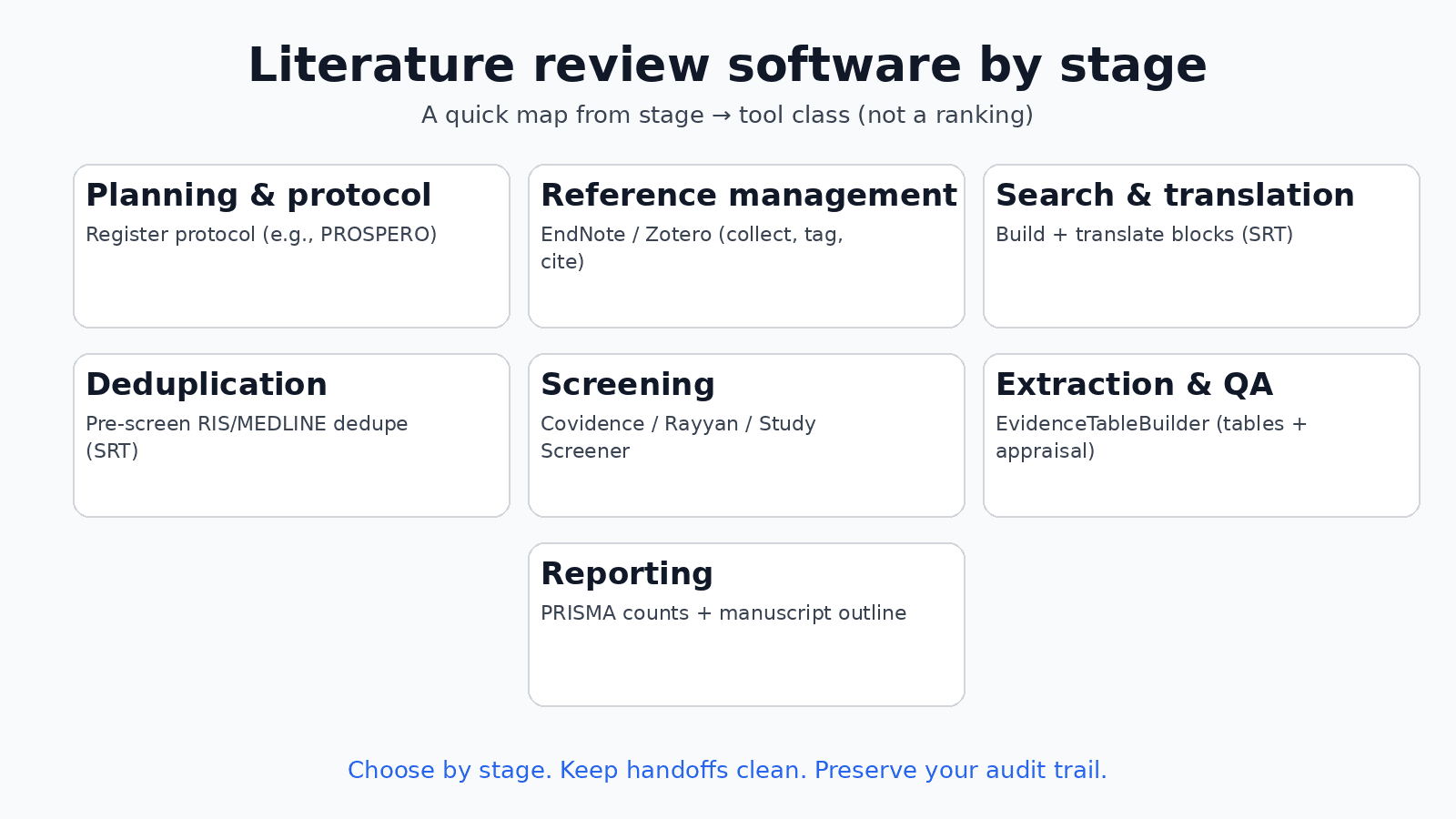
Literature review software by stage (a practical map)
Choosing “the best literature review software” is the wrong frame. Reviews are multi‑stage, and the software classes map to those stages: reference managers (EndNote/Zotero), search building and translation, deduplication, screening, extraction and quality appraisal, and reporting. Pick a tool class for the job, then choose a product that fits your team’s audit needs and constraints. Avoid fake top‑10 tables: the right setup is usually a small stack where search/translation and dedupe happen upstream of screening, and extraction/QA and reporting happen downstream with clear handoffs.
For a product-by-product fit guide, see Best systematic review software.
If you are still deciding between broad mapping and focused synthesis, our guide to scoping reviews explains when a map of the evidence is the right output. When you do progress to quantitative pooling, the meta‑analysis guide covers models, heterogeneity checks, and reporting basics. For process fundamentals that survive peer review, see systematic‑review best practices.
The software classes (by stage)
Planning and protocol
- Write your protocol and register it. Literature reviews use the OSF Generalized Systematic Review template. PROSPERO is only for eligible health systematic reviews. This is about commitments and transparency, not tooling features.
- Sense‑check the topic: try SRT’s Research Gap Finder to see where evidence clusters or is thin.
Reference management (before and after core screening)
- EndNote and Zotero are for collecting, tagging, and citing. They help wrangle PDFs and references. They are not screening platforms and don’t maintain a decisions audit trail suitable for PRISMA.
Search building and translation
- Build and translate search blocks to each database syntax. Systematic Review Tools (SRT) focuses here: structured block building, translation, and documentation — see Search Builder, Search Translator, and the Search Block Library for vetted examples. You can save your work in SRT; drafts live in your browser (no cloud sync). Pair this with good record‑keeping so your strategy can be reproduced across updates.
Deduplication (between search and screening)
- Deduplicate once, immediately after exporting from all databases, before any screening. See: Deduplicating multi‑database search exports. SRT’s Deduplication service is built for RIS/MEDLINE uploads and does not persist your files.
Screening platforms (title/abstract, then full text)
- Covidence and Rayyan are purpose‑built for screening decisions, conflicts, and reasons. Study Screener (our sibling product) handles two‑reviewer decisions and conflict resolution with an auditable log. These are the right place for screening—not a reference manager.
- See approach notes: Screening strategies.
- For a beginner title/abstract workflow (dual decisions, PRISMA-minded tooling), see the beginner paper-screening guide.
Extraction and quality appraisal
- EvidenceTableBuilder (our sibling product) is for extracting fields into evidence tables and running quality/risk‑of‑bias assessments with clear provenance. This is separate from screening on purpose: it keeps roles, versions, and audit histories clean.
- Method notes: Quality assessment.
- For extraction planning, piloting, and QC, see Best practices for data extraction in systematic reviews.
Reporting (PRISMA counts and manuscript)
- PRISMA reporting relies on correct counts at each stage. If deduplication happens late or off‑platform, counts drift. Keep screening in a system with an audit log and exportable reasons. For writing, outline and export tables/figures into your manuscript workflow.
- For helpers, SRT publishes a PRISMA Checklist, a PRISMA Flowchart generator, and a Manuscript Outline.
A concrete failure mode to avoid
If title/abstract decisions are made in a spreadsheet or inside a reference manager without an audit log, you cannot later reconstruct who decided what or when. PRISMA counts become non‑verifiable, inter‑rater reliability cannot be checked, and inclusion/exclusion reasons get lost. A second, common trap: deduplicating after screening starts. That silently deletes already‑screened records and breaks the flow diagram. Do both steps—audit‑logged screening and pre‑screening dedupe—in the right order.
Honest fit notes (no winner table)
- EndNote/Zotero: excellent for organizing references and citations; not screening systems; dedup quality varies by export and settings.
- Covidence: widely used for screening with reasons and conflict resolution; not a reference manager; extraction is structured but may be opinionated.
- Rayyan: fast title/abstract screening with tagging and team features; not designed for extraction/QA.
- Study Screener (SS): screening and conflict resolution with an auditable trail; focused on decisions, not reference management.
- EvidenceTableBuilder (ETB): extraction and quality appraisal with exportable, PRISMA‑ready tables; not a screening tool.
- Systematic Review Tools (SRT): search building/translation and deduplication with server‑side token checks; not a screening or extraction host—handoff to SS/ETB by stage.
That’s the map: pick by stage, keep handoffs clean, and protect your audit trail. The “all‑in‑one” promise is attractive, but forcing every stage into one platform tends to create gaps where counts or decisions can’t be verified. Use the smallest set of stage‑fit tools that preserves evidence and makes your reporting easier—not a longer feature list.

About the Author
Connect on LinkedInGeorge Burchell
George Burchell is a specialist in systematic literature reviews and scientific evidence synthesis with significant expertise in integrating advanced AI technologies and automation tools into the research process. With over four years of consulting and practical experience, he has developed and led multiple projects focused on accelerating and refining the workflow for systematic reviews within medical and scientific research.